
HOW IT WORKS
See SUMn in action
A double-click on one computer, and every other computer on your network alarms at once, showing exactly where help is needed.
HOW IT WORKS
From press to help in seconds.
SUMn runs quietly on every Windows computer in your workplace. When someone needs help, a double-click tells everyone else where to go.

Six things to know
01
Install SUMn on each computer
Download and run the installer, then give the station a name, such as Reception 1, Interview Room 4 or Back Office. Stations on the same network find each other automatically.
02
The globe sits on every screen
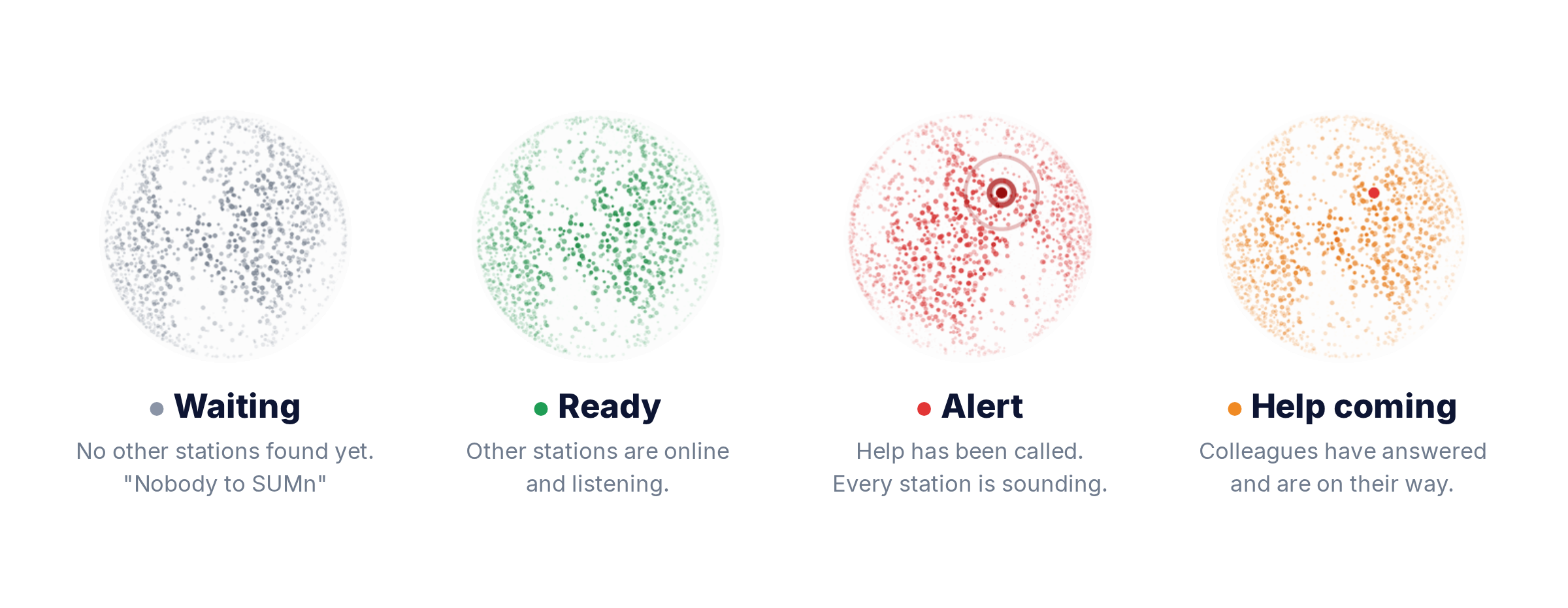
A small round globe sits in the corner of each screen. Its colour shows the status at a glance, and it stays out of the way until it is needed.
03
Raise an alert
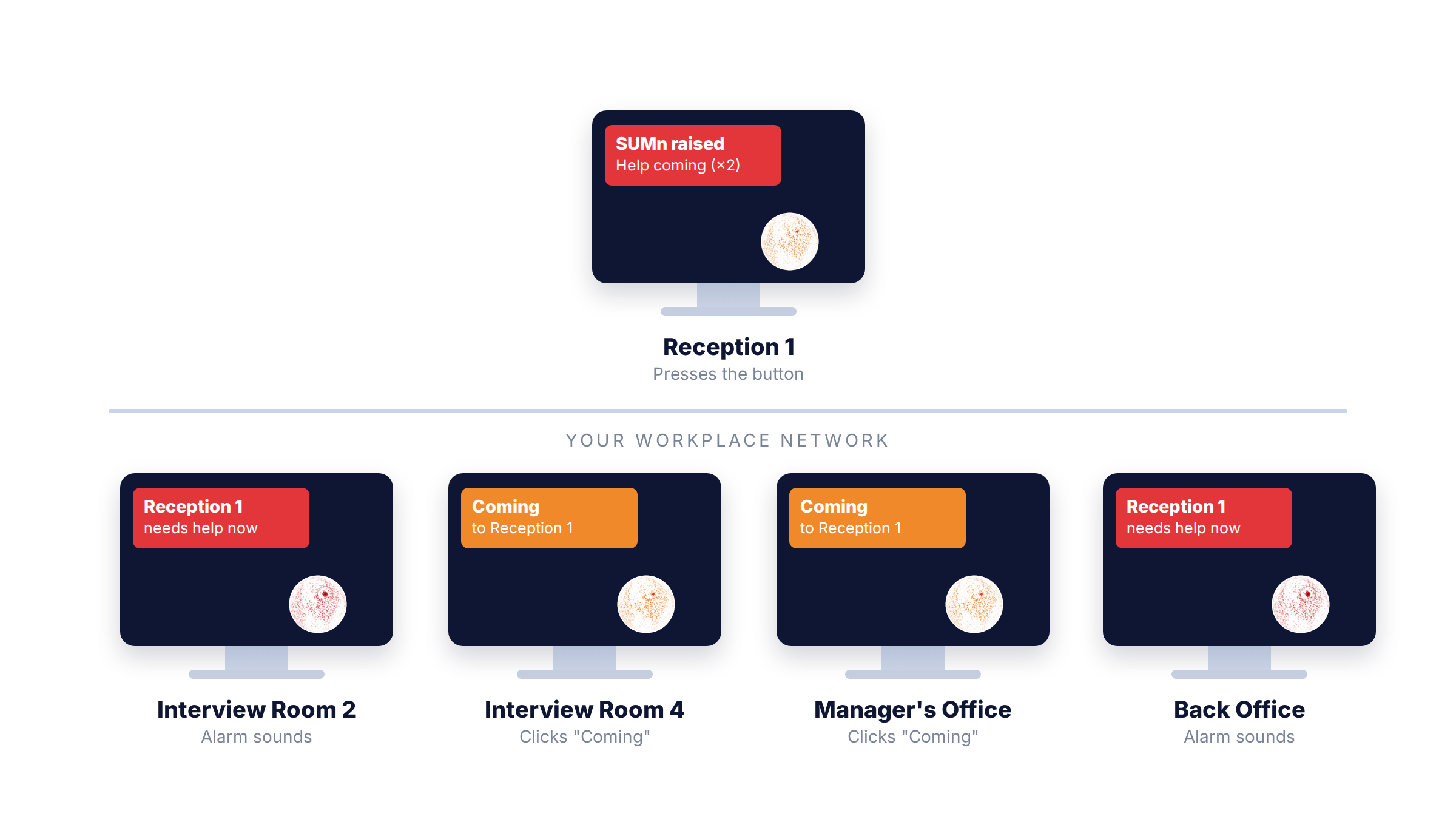
Double-click the globe on your screen. Every station sounds an alarm and shows a pop-up naming the location.
04
Colleagues respond
Colleagues click to say they are coming. The person who raised the alert sees how many are on the way, right on their globe, without having to look away.
05
Ask for a hand when it’s busy
Front-desk stations can quietly ask chosen colleagues for help when the waiting room gets busy. Recipients hear a gentle chime and can reply On my way or Can’t right now.
06
Licensing made easy
One licence covers every computer at your site. A new computer can pick up the licence automatically from another SUMn station on the same network.
The globe tells you what is happening.
Four colours, one glance. No training manual required.
Two Clicks. Every station.
Alerts travel over your local network to every SUMn computer, so help arrives from wherever your team happens to be.
When in need, SUMn.
Set up in minutes on the Windows PCs you already have.
SUMn is a staff communication tool that helps colleagues get help to each other quickly. It is not a monitored alarm service and does not contact police, ambulance or security. In an emergency, call 000.